The Enterprise Spend Management Platform

Your Employees Spend.Your BusinessStays in Control.

CTRL Pay Enterprise brings employee spending, business policies, approvals, AI-powered compliance and real-time visibility together in one controlled platform.
One platform. Controlled spends. Complete visibility.
Proactive spend controls
AI-powered compliance
Real-time dashboards
Audit-ready records
NPCIUPI
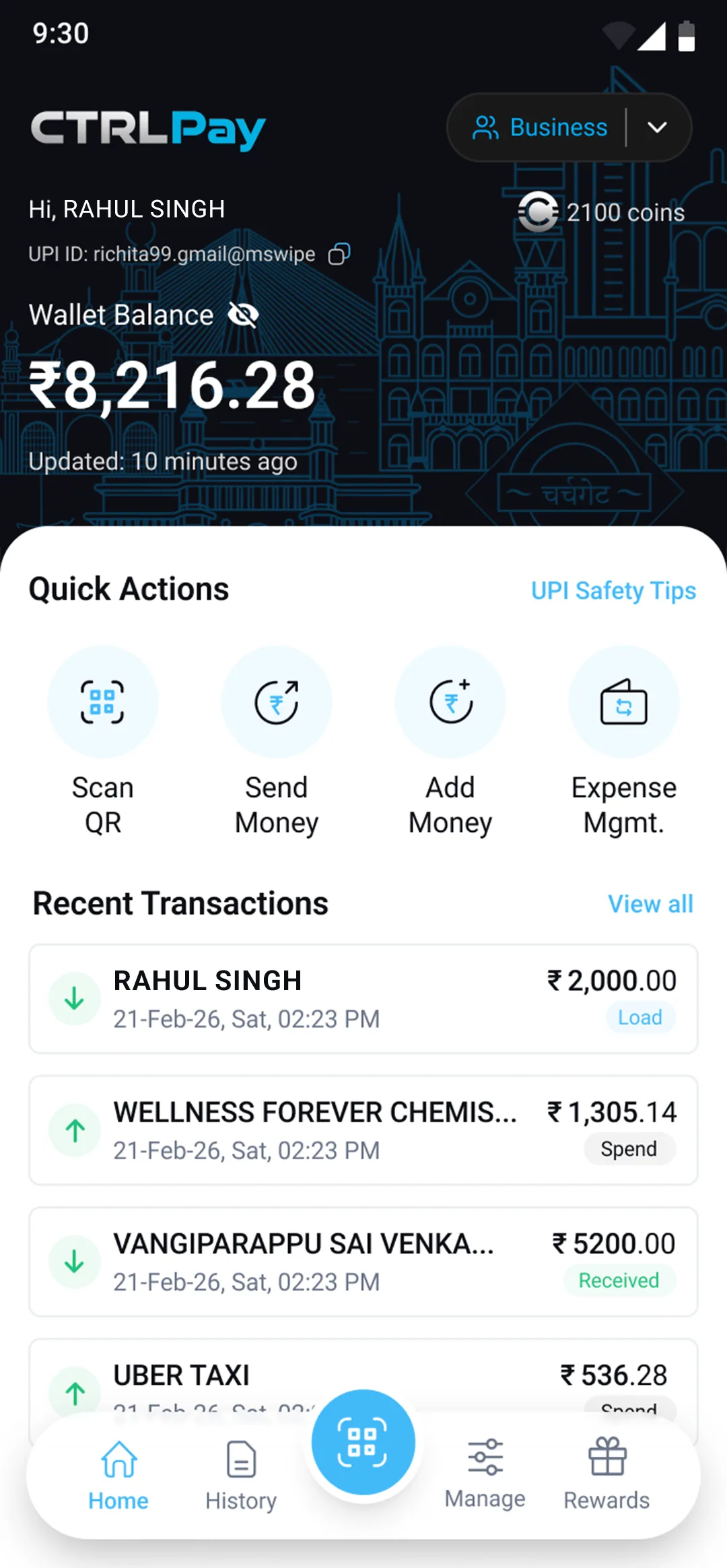
CTRL Pay app on a phone
✓
Policy Approved
₹ 7,500 • Travel • Just now
◎
Spend Limit
₹ 25,000 • Rahul Singh
AI
AI Validated
Invoice • Compliant

RBI Approved
The Problem

Your Expense Workflow Wasn't Built for Today's Business.

Employees need to spend quickly. Finance needs to know:
Who spent?Where was it spent?Was it allowed?Where's the invoice?Who approved it?

Manual Work

Hours spent reviewing, chasing, and reconciling expense claims. Finance teams process the same information multiple times across different systems.

Limited Visibility

Spending is spread across corporate cards, petty cash, and reimbursements. There's no single view of where business money is going in real time.

Policy Gaps

Expense rules exist on paper but enforcement is inconsistent. Policy violations surface only during review — after money has already been spent.

Employee Friction

Employees pay first, collect receipts, and wait for reimbursements. This creates cash-flow stress, paperwork, and unnecessary friction across teams.
When spending is spread across corporate cards, reimbursement claims, petty cash and manual processes, businesses lose visibility and finance teams spend valuable time reconciling transactions.
Put Control Into the Transaction.
CTRL Pay shifts expense management from reactive reconciliation to proactive spend control — so every rupee is governed before it leaves the organization.
CTRL Pay

One Platform for Controlled Business Spending.

CTRL Pay Enterprise gives businesses a connected way to manage business spending — from funding and payments to invoices, approvals, compliance and reporting.
CONTROL

Control Every Business Spend

Set limits, policies, permissions and approval workflows before money moves.
AUTOMATION

Automate the Repetitive Work

AI-powered validation and digital workflows reduce manual expense processing.
VISIBILITY

See Spending as It Happens

Monitor employees, teams, categories and merchants through real-time dashboards.
How It Works

From Spend to Settlement —
One Connected Workflow.

Every business expense flows through a single controlled pipeline — from policy configuration to real-time analytics.
01

Configure

Set users, permissions, policies and approval workflows. Define spending limits by employee, team, amount, category and time period.
02

Fund

Load funds into the CTRL Pay enterprise wallet. Organization-funded and employee-funded models both supported.
03

Spend

Employees make business payments via UPI QR at 60M+ merchants. Every transaction is governed by the configured policy in real time.
04

Capture

Upload invoices and receipts directly from the CTRL Pay app. AI extracts vendor, date, amount, and GST automatically.
05

Validate

AI checks expense information against your configured business policies and identifies compliant transactions from exceptions.
06

Approve

Compliant transactions proceed automatically. Exceptions are routed through your configured multi-level approval workflow.
07

Analyse

Finance gets real-time visibility and reporting across employees, teams, categories, merchants and policy exceptions.
Configure → Fund → Spend → Capture → Validate → Approve → Analyse
Operating Models

One Platform. Three Ways to Manage Business Spend.

Your business doesn't have to fit into one expense model. CTRL Pay adapts to the way your teams spend.

Organization-Owned Wallet

Your organization owns and manages the CTRL Pay wallet. Employees are attached based on roles and permissions and use organization funds according to defined policies.
Workflow
Organization KYC
Admin configures policies
Employees onboarded
Organization funds wallet
Employees spend
Invoice captured
Finance monitors
Benefits
Centralized control
Organization-funded spending
Policy-driven transactions
Real-time visibility
Reduced employee out-of-pocket spending
Better audit trail
Ideal For
Sales teams / Field teams / Recurring business expenses
Explore this model

Employee-Owned Wallet

Employees own their CTRL Pay wallet and can manage personal and business spending. Business expenses are documented and processed through the organization's workflow.
Workflow
Employee KYC
Wallet activated
Employee spends
Business spend identified
Invoice / receipt uploaded
Approval
Settlement / reimbursement
Benefits
Flexible employee-owned wallet
Digital business-expense workflow
Imprest support
Reimbursement support
Real-time visibility
Ideal For
Travel / Occasional expenses / Employee-paid business purchases
Explore this model

Hybrid Model

Proposed Model
Combines organization-funded and employee-funded business spending within a single CTRL Pay ecosystem — with a common policy framework and centralized visibility.
Workflow
Organization-funded spending
Employee-funded spending
CTRL Pay platform
Policy controls applied
Invoice / receipt capture
AI validation
Finance visibility
Benefits
Flexible funding approach
One platform
Common policy framework
Digital expense trail
Centralized visibility
Suitable for mixed expense environments
Ideal For
Businesses with different spending models across teams, expense types or employee groups
Explore this model
Policy Engine

Set the Rules Before the Money Moves.

Move from reactive expense review to proactive spending controls. Configure policies across seven dimensions.
User
Individual employee spending limits
Amount
Transaction, daily or monthly limits
Category
Allow or restrict merchant categories
Time
Control when spending can occur
Location
Apply location-based controls where configured
Documentation
Require invoice or receipt capture
Approval
Route exceptions through approval workflows
CTRL Pay — Policy Configuration
RS
Rahul Singh
Sales Team • Mumbai
Monthly Limit
₹ 25,000
Category Rules
Office Suppliesallowed
Travelallowed
Luxury Goodsrestricted
Entertainmentapproval
Live Transaction
₹ 7,500
Oberoi Hotels • Travel
Rahul Singh — Sales, Mumbai
Policy Approved
AI Compliance

Your Expense Policy. Enforced Automatically.

CTRL Pay's AI engine extracts invoice information, checks it against your configured policies and identifies exceptions for review — automatically.
EXTRACT
MATCH
VALIDATE
APPROVE / ESCALATE
Invoice
vendorOberoi Hotels, Mumbai
date14 Sep 2026
amount₹ 7,500
gst18% (₹ 1,144)
typeAccommodation Invoice
vendorHard Rock Café, Bangalore
date15 Sep 2026
amount₹ 18,200
gst18% (₹ 2,776)
typeEntertainment Invoice
AI Extraction
VendorOberoi Hotels
Date14 Sep 2026
Amount₹ 7,500
GSTPresent & Valid
VendorHard Rock Café
Date15 Sep 2026
Amount₹ 18,200
GSTPresent & Valid
Policy Checks
Vendor Verified
Amount Within Limit
Category Allowed (Travel)
Invoice Detected
Vendor Verified
Amount Within Limit
Category Allowed (Entertainment)
Invoice Detected
COMPLIANT
Expense processed automatically.
POLICY EXCEPTION
Routed to Finance Approval.
Analysing...
Real-Time Dashboard

Turn Spend Data Into Business Intelligence.

CTRL Pay gives finance teams a consolidated view of business spending across employees, teams, categories and merchants — in real time.
admin.ctrlpay.biz/dashboard
Total Spend
₹ 8.2L
+14%
Active Employees
47
3 new
Policy Exceptions
12
−3 vs last
Pending Approvals
5
Action needed
Monthly Spend Trend (₹ '000)
Apr
May
Jun
Jul
Aug
Sep
Category Distribution
Travel₹ 2.8L
Office₹ 1.4L
Meals₹ 1.1L
Fuel₹ 0.9L
Other₹ 2L
Employee Spend vs. Limit
RS
Rahul Singh• Sales
₹ 18,400
PM
Priya Mehta• Ops
₹ 12,200
AD
Arjun Das• Sales
₹ 9,800
Security

Built for Business Money.

Security and controlled access are built into the CTRL Pay experience from the ground up.

RBI Approved

Fully regulated and compliant with RBI PPI guidelines. Your funds are governed under a regulated framework.

Bank-Grade Encryption

Every transaction and piece of data is protected by industry-standard encryption protocols.

Multi-Factor Authentication

An extra layer of verification on every transaction keeps employee and organization funds secure.

24/7 Monitoring

Always-on monitoring to detect and prevent suspicious activity across all wallets in real time.

Escrow Architecture

Your business funds are ring-fenced in a secure escrow account with Axis Bank — completely separate from your primary banking credentials.
Your Business Funds. Ring-Fenced.
The CTRL Pay architecture separates wallet funds from your organization's primary banking credentials. Funds are held in a dedicated escrow account — never used for lending, investing, or operational purposes. Your primary banking credentials are never exposed to daily transactions.
Wallet Protection

How We Protect Your Business Funds

CTRL Pay's enterprise wallet is designed to be secure, ring-fenced, and protected — completely separate from your organization's primary banking infrastructure.
1.

Primary Banking Credentials Are Never Exposed

When your organization funds the CTRL Pay Enterprise wallet:
Funds are debited from your corporate bank account
The amount moves into a ring-fenced enterprise wallet
Primary banking credentials are never repeatedly used for employee transactions
Employees spend within their allocated wallet balance only
Your corporate banking details are kept completely separate from day-to-day employee spending.
2.

Funds Held in a Secure Escrow Account with Axis Bank

Once funds are loaded into CTRL Pay:
A dedicated escrow account is maintained with Axis Bank
Funds are held in a regulated, protected structure
Your business wallet balance is fully accounted for and segregated
Funds are never used for lending, investing, or operational purposes
Business funds remain 100% yours — held in a regulated escrow architecture.
3.

Employee Wallets Are Policy-Governed and Controlled

Every employee wallet operates within your configured policy framework:
Spending limits are enforced at the transaction level
Category restrictions prevent unauthorized purchases
Every rupee spent is fully traceable and auditable
Approval workflows route exceptions before money moves
Control is built into every transaction — not applied after the fact.

Built for Business Safety

Segregated business funds
Banking-grade security protocols
Primary credentials never exposed
Real-time transaction visibility
Regulated escrow architecture
Complete audit trail
Your business funds are protected by design — so your employees can transact with confidence.
Business Outcomes

What Changes When You Put CTRL Pay in Place?

Traditional Process
CTRL Pay
✗Reactive expense review
Proactive spend controls
✗Manual invoice checking
AI-assisted validation
✗Manual approval chains
Digital workflows
✗Employee out-of-pocket spending
Organization-funded option
✗Periodic reconciliation
Real-time visibility
✗Fragmented data
Centralized spend intelligence
✗Paper receipts
Digital capture
Solutions

Who Should Use CTRL Pay?

FI
Finance
Control budgets and automate expense compliance.
SA
Sales
Fund field teams and control business spending.
OP
Operations
Manage recurring operational expenses with clear policies.
TR
Travel
Simplify travel spending and reimbursement workflows.
LE
Leadership
Get visibility into where company money goes.
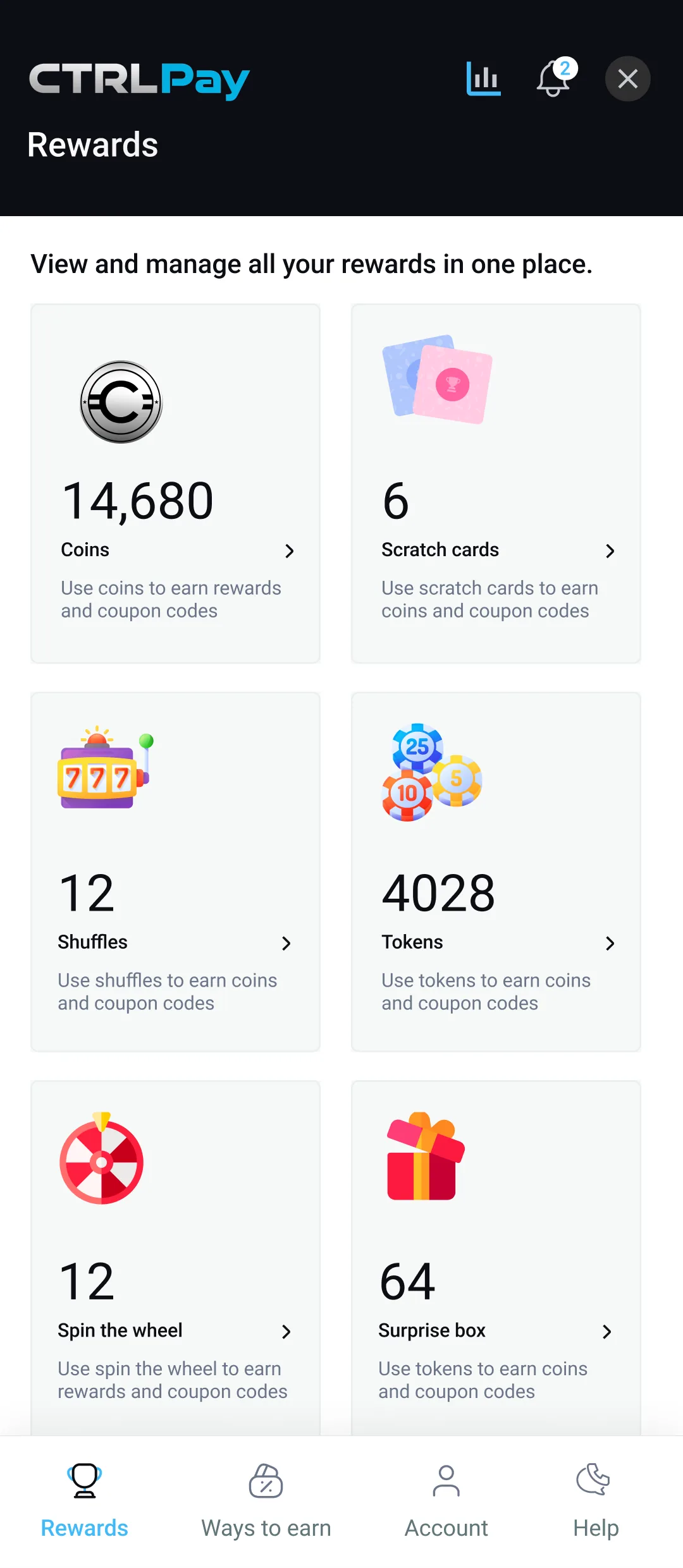
Rewards

Pay Smart. Earn Bigger.

Turn everyday transactions into valuable rewards and exclusive benefits.
Earn Coins Daily
Get rewarded for payments, daily logins, referrals, and special campaigns
Play & Win Instantly
Scratch cards, spin the wheel, shuffle slots, and unlock surprise rewards
Redeem Top Brands
Convert coins into vouchers across fashion, food, travel, and lifestyle
Track Everything Transparently
View your passbook, redemption history, and rewards in real time
Happy young Indian woman enjoying CTRL Pay Rewards
CTRL Pay Rewards Screen
Start Earning Today
Every transaction brings you closer to exciting rewards. Track your coins, play engaging games, and redeem exclusive vouchers—all in one place.
FAQ

Frequently Asked Questions

Everything you need to know about CTRL Pay Enterprise.
What is CTRL Pay Enterprise?
CTRL Pay Enterprise is an enterprise wallet and spend management platform for managing business spending, policies, approvals, compliance and analytics — in one controlled platform.
How does CTRL Pay work with employees?
Employees can be attached to organization-owned wallets or use their own CTRL Pay wallets depending on the operating model your business chooses.
What is the Organization-Owned Wallet model?
The organization owns and funds the CTRL Pay wallet and controls employee spending through configured policies, limits and approval workflows.
What is the Employee-Owned Wallet model?
Employees own their CTRL Pay wallets and can manage business expenses through the configured workflow — including invoice capture, approval and reimbursement.
What is the Hybrid Model?
The Hybrid Model (proposed) combines organization-funded and employee-funded business spending within one CTRL Pay ecosystem — with a common policy framework and centralized visibility.
Can employees pay using UPI?
Yes. UPI payments are a core part of the CTRL Pay proposition. Employees can pay at any UPI QR at 60M+ merchant locations.
Can employees upload invoices?
Yes. Invoice and receipt capture is part of the CTRL Pay expense workflow. The AI engine extracts vendor, date, amount and GST automatically.
Can businesses define spending limits?
Yes. CTRL Pay supports user-wise, amount-based, category-based and time-based spending policies — configurable per employee or team.
Does CTRL Pay support approval workflows?
Yes. The platform supports multi-level authorization and approval workflows. Compliant transactions proceed automatically; exceptions are routed for approval.
Does CTRL Pay provide analytics and reporting?
Yes. The platform provides real-time spend visibility and reporting at employee, team, category and merchant level — with audit-ready exportable reports.
CTRL Pay Enterprise

Ready to Bring Your Business Spend Under Control?

See how CTRL Pay can fit into your existing expense management workflow.
Spend Smarter. Scale Faster.
Get in Touch

Let's Talk About Your Expense Workflow.

Tell us about your business and we'll show you how CTRL Pay fits in.

Request Submitted!

Our team will be in touch within 24 hours to schedule your demo.